Using Undo and Redo in OpenRefine
It's not uncommon to make a mistake, or to change your mind about something, when cleaning data. With this is mind, OpenRefine provides a very easy way to undo and redo any and all changes you've made.
In the left hand margin, you should see a tab labelled Undo/Redo. Click on it.
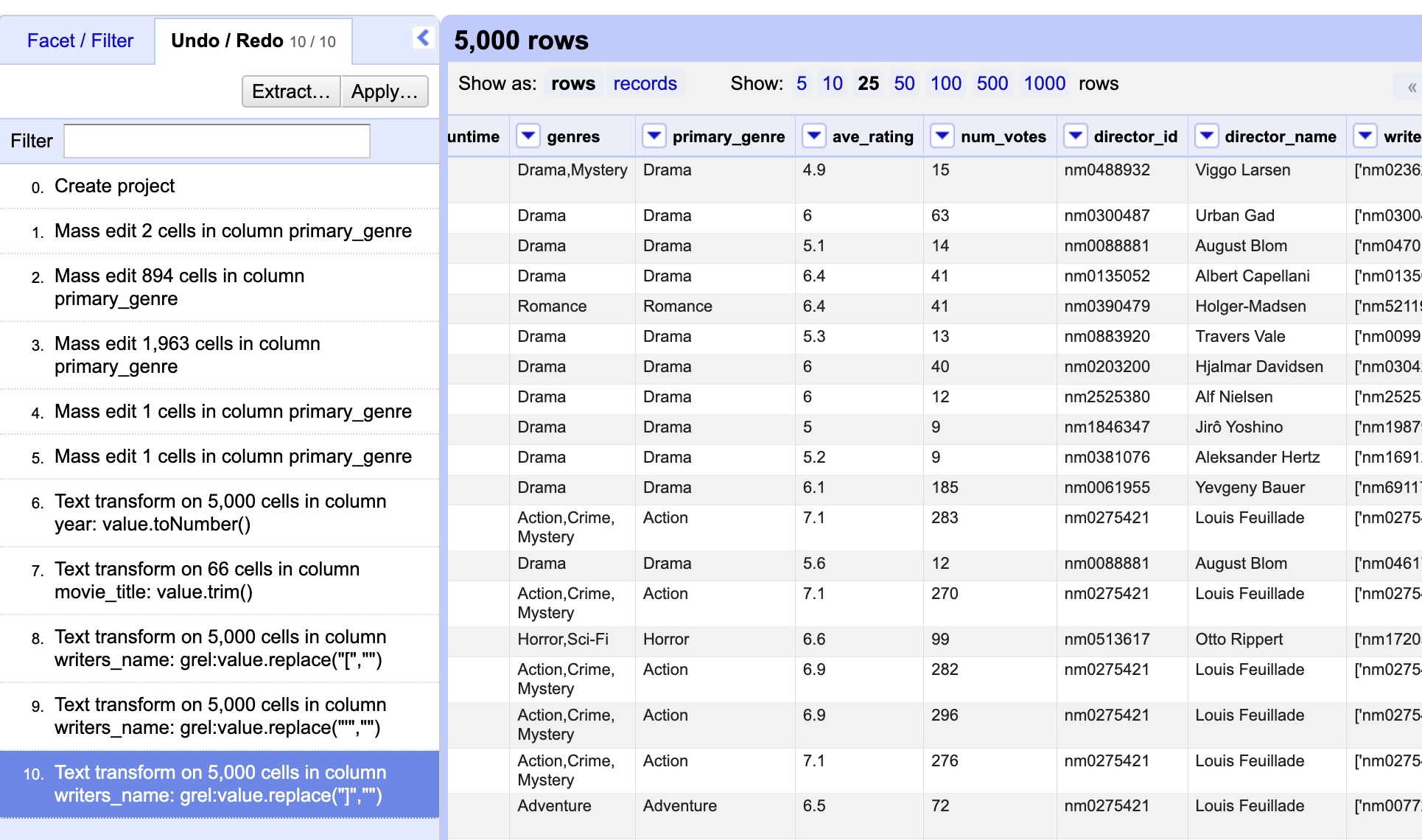
Every operation you've run so far will be listed in this tab. To undo changes, all you have to do is click on a previous step. To redo that change, just click on it.
Practice
Try undoing all the transformations you did to the writers_name variable. Select a step before those changes and observe what happens to the variable values.
Now, re-select the most recent change. Your data should go back to how it was.