Using Facets in OpenRefine
OpenRefine includes a number of functions useful for cleaning and sorting data. In this lesson, we will explore how and when to use various facets, clustering techniques, and transformations.
Text facets
Facets are a useful (and powerful!) tool within OpenRefine for getting a big picture understanding of your data. Facetting groups all like values in a column together, and allows you to filter and edit those values en masse. Facets can also help you visualize your data.
You can access the facetting options by clicking on the down arrow beside a variable title and then hovering over the Facet heading.
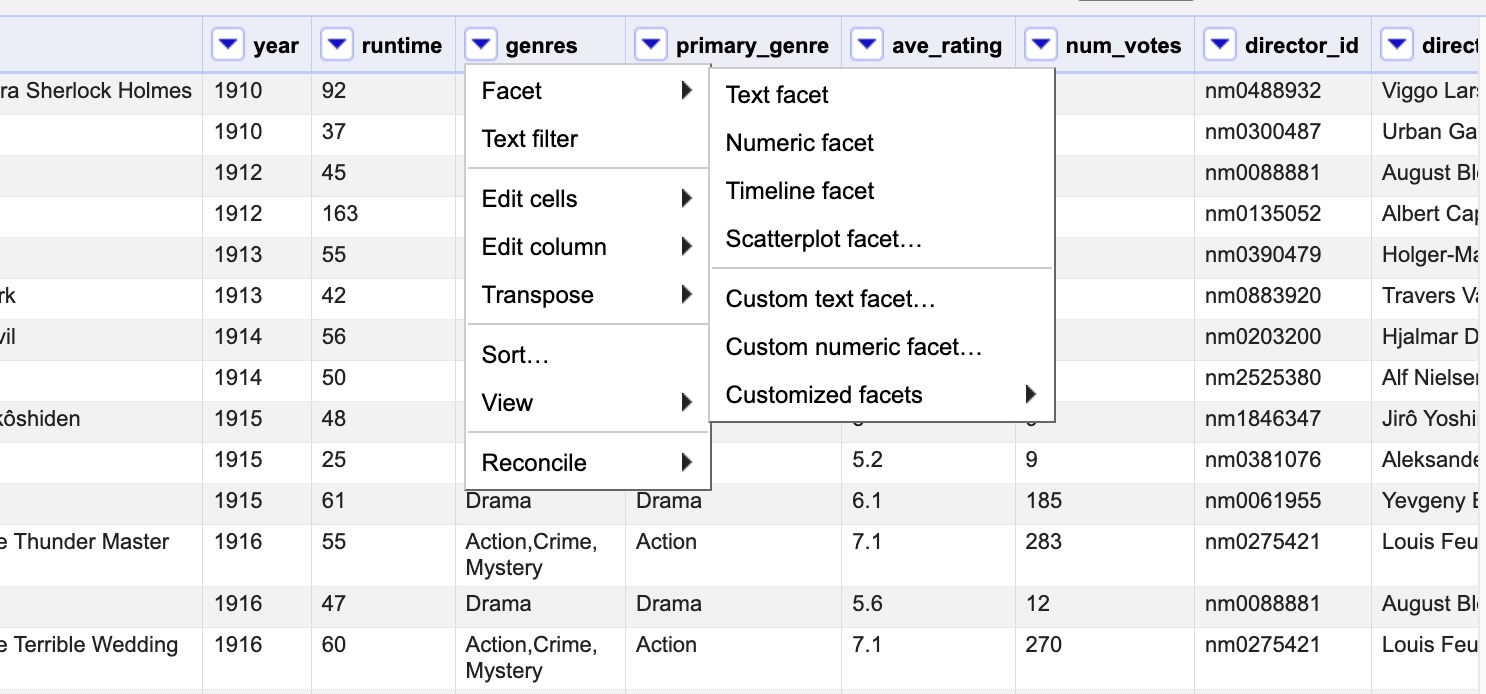
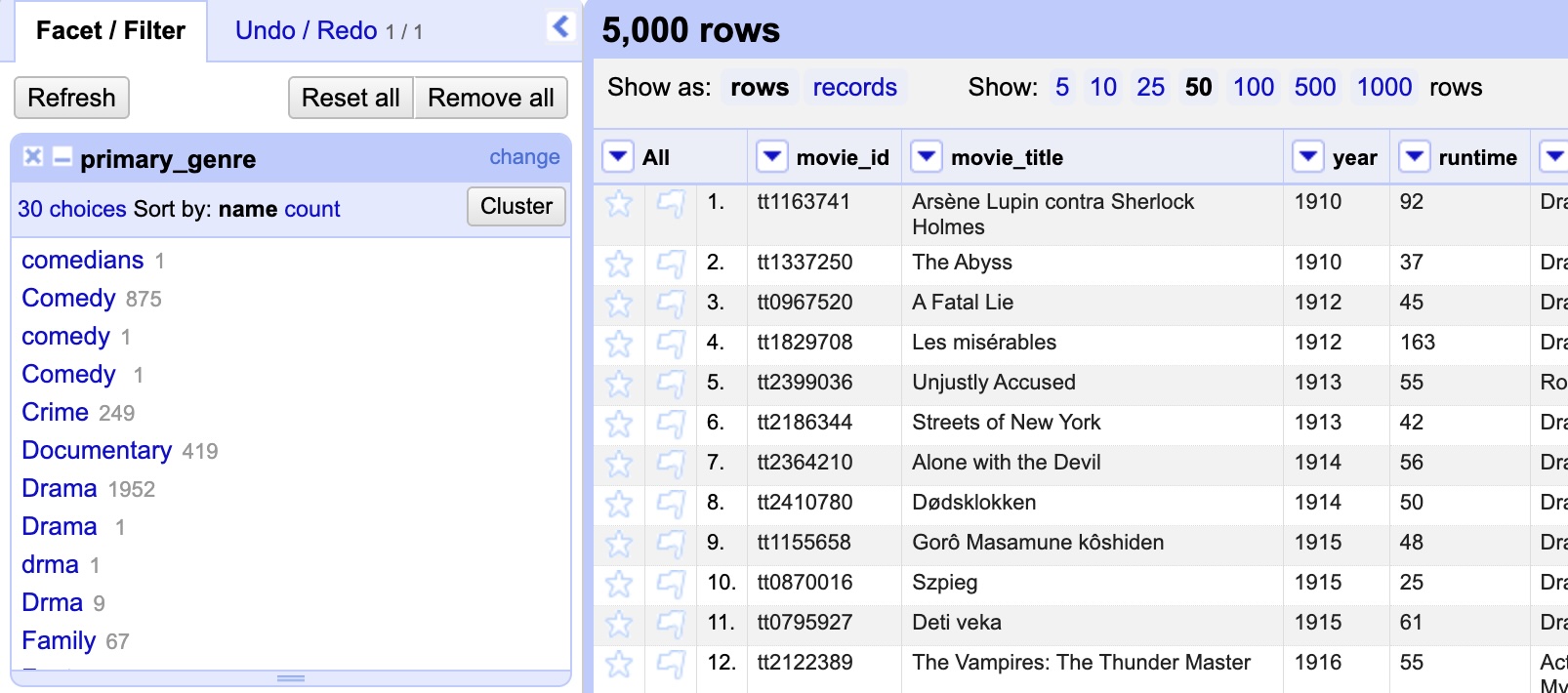
The first facet option you should see is the Text facet option. A text facet groups all the identical text values in a column and creates a list in a box in the left margin with the unique text values and the number of times each value appears in the faceted column.
Practice
Use a text facet on the primary_genre column. You should see a box appear in the left hand margin, labelled primary_genre with a list of the genres included in the primary genre variable column. Take a look at it. Do you notice any errors or issues?
Solution
You should see a number of mistyped or differently labelled genre titles. Hover over the "Documntary" line. You should see an option to edit the line appear. Click on it, and correct the mispelling.
Leave the other mispelled titles for now, we'll find other ways to correct them.
Other facets
In addition to the text facet, OpenRefine also supports:
- Numeric facets
- Timeline/date/ facets
- Scatterplot facets
- Custom facets (e.g. word facets, text length facets, duplicate facets)
Timeline facets work much the same way as text facets: unique values are grouped together, and then listed along with the number of times that they appear in the column.
Numeric and scatterplot facets, on the other hand, display graphs instead of lists. Scatterplots, moreover, allow you to visualise the values of a pair of numeric columns, and to filter data by two-value combinations.
Faceting is just one way to identify and correct errors. OpenRefine also allows us to use transformations and clustering to do that.